
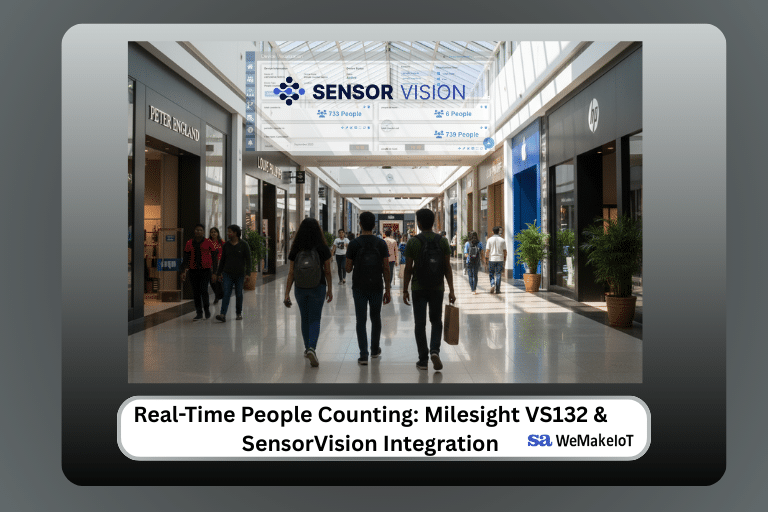
Real-Time People Counting: How Milesight VS132 & SensorVision Turn Footfall into Business Intelligence
In our increasingly data-driven world, capturing how people navigate physical spaces is no longer a luxury; it’s a necessity. From retailers optimizing floor layouts to facility managers ensuring building safety, the demand for precise footfall analytics is soaring. However, the hurdle has always been the “how”: how do we collect this data accurately without compromising privacy or breaking the bank?
Moving Beyond Traditional Counting
Old-school methods of tracking occupancy are often flawed. Manual clickers are prone to human error, and standard CCTV systems frequently spark privacy debates while consuming significant power.
To bridge this gap, modern infrastructure requires a solution that is:
- Privacy-conscious and non-intrusive.
- Low-power for long-term sustainability.
- Scalable across massive facilities or multiple branches.
Hardware Spotlight: The Milesight VS132
The Milesight VS132 People Counter is a game-changer in this space. Utilizing dual-lens stereoscopic vision, it achieves high-precision counting without capturing identifiable facial data. Its secret weapon? LoRaWAN connectivity. By leveraging LoRaWAN, the VS132 can transmit data over long distances with minimal energy consumption, making it perfect for large-scale IoT ecosystems where traditional Wi-Fi might struggle.
How Data is Sent to SensorVision?
Raw numbers are only useful if they reach the right desk. Here is how we bridge the gap between a physical sensor and a digital dashboard:
- Integration via The Things Network (TTN)
First, the Milesight VS132 is onboarded onto The Things Network. By configuring the Device EUI and connecting via a LoRaWAN gateway, the sensor begins broadcasting its data packets to the cloud. - Real-Time Data Flow with Webhooks
To make this data actionable, we use Webhooks to create a bridge between TTN and the SensorVision platform. This ensures that every time someone crosses the threshold, the information is instantly pushed to your analytics engine.
Step-by-Step: Connecting the Milesight VS132 to The Things Network
Before any data reaches SensorVision, the sensor itself needs to be provisioned correctly on your LoRaWAN network. Here’s the full sequence:
- Locate your device credentials. Every Milesight VS132 ships with a label showing its Device EUI, App EUI, and App Key. Keep these handy — you’ll need them in the next step.
- Create or open your TTN application. Log into the TTN Console, select your application, and click “Add end device.”
- Register the device manually or via the device repository. Search for “Milesight VS132” in TTN’s device repository. If it’s listed, TTN auto-fills the payload decoder. If not, select “Enter end device specifics manually” and choose the LoRaWAN version printed on the device label.
- Enter the Device EUI, App EUI, and App Key from step 1, then save.
- Confirm gateway coverage. Make sure a LoRaWAN gateway within range of the VS132 is already registered and online in TTN.
- Trigger a test uplink. Walk past the sensor (or use its test button, if it has one) and check the “Live data” tab in TTN. You should see an uplink message with a decoded payload showing a people-count value.
If no data appears after a few minutes, the most common causes are: the device is out of gateway range, an incorrect App Key, or a payload decoder mismatch with the firmware version — check the VS132’s firmware version against Milesight’s documentation if this happens.
Setting Up the Webhook to SensorVision
Once TTN is receiving clean data, the next step is forwarding it automatically into SensorVision.
- In the TTN Console, go to your application → Integrations → Webhooks → Add webhook.
- Choose Custom webhook and give it a clear name, e.g. SensorVision-VS132.
- Paste in the webhook URL provided by SensorVision (found under your device’s integration settings in the SensorVision admin panel).
- Set the format to JSON.
- Under “Enabled events,” select Uplink message — the only event type needed for footfall data.
- Save the webhook, then trigger another test uplink from the sensor.
- In SensorVision, open the device’s dashboard and check the “Last seen” timestamp updates in real time — confirming the full pipeline (sensor → gateway → TTN → webhook → SensorVision) is working end to end.
Mapping People-Count Data to a SensorVision Dashboard
With data flowing in, the final step is turning raw numbers into something a facilities manager can read at a glance.
- In SensorVision, go to Devices → Device Types and create a new type (e.g. “People Counter — VS132”) if one doesn’t already exist.
- Map the incoming payload field (typically something like
people_countortotal_in) to a telemetry key in SensorVision. - Add a real-time gauge or counter widget to your dashboard and link it to that telemetry key.
- Optional but recommended: set a threshold alert — for example, trigger a notification if occupancy exceeds a safe capacity limit, useful for fire-safety compliance.
Visualization and Action with SensorVision
Once the data hits SensorVision, it is transformed from binary code into visual intelligence. The platform offers a suite of tools designed for decision-makers:
- Real-Time Monitoring: Instant visibility into current occupancy levels.
- Trend Analysis: Compare daily, weekly, or seasonal traffic to identify peak periods.
- Automated Notifications: Trigger alerts when room capacity limits are reached.
- Seamless Exporting: Move your footfall data into third-party HR or marketing tools for deeper correlation.
By combining the precision of the Milesight VS132 with the flexibility of LoRaWAN and the analytical power of SensorVision, businesses can stop guessing and start knowing. Whether it’s aligning staff schedules with peak hours or ensuring fire safety compliance, this automated pipeline turns footfall into a strategic asset. If you are looking to build a similar end-to-end solution, explore our IoT Solutions Development services.
Explore more from WeMakeIoT:
– SensorVision IoT Platform
– LoRaWAN Network Deployment
– IoT Solutions Development
– Contact Us